Simple web game development and sandboxed agents
I recently tried ChatGPT Sites on a small (but not too simple) project: Creating a labyrinth solving game, and a corresponding 3D version. I did quite like the combination of "works out of the box" and being able to just talk to the agent to make changes and improvements. This is genuinely a "no-code" workflow. It is possible to inspect the code (it gets minified but is essentially just a JS + HTML bundle), but the intention appears to be that users don't (you can ask the model for an annotated version and it gives you a zip file).
The game(s) I had it make do have a few non-trivial elements:
-
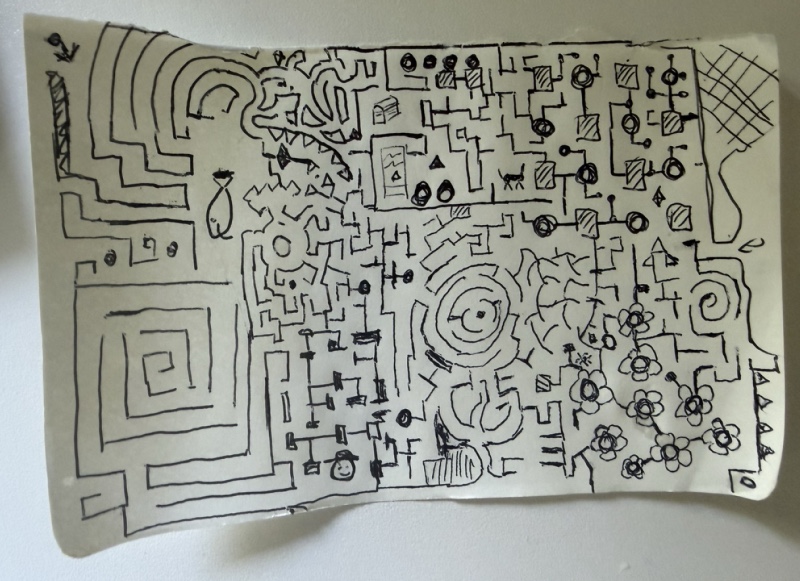
Design of a random labyrinth generator from a hand-drawn sketch. Needed a few iterations and some planning. I guess the space partitioning approach we agreed on could be improved to match better, but it did add most types with one shot.
-
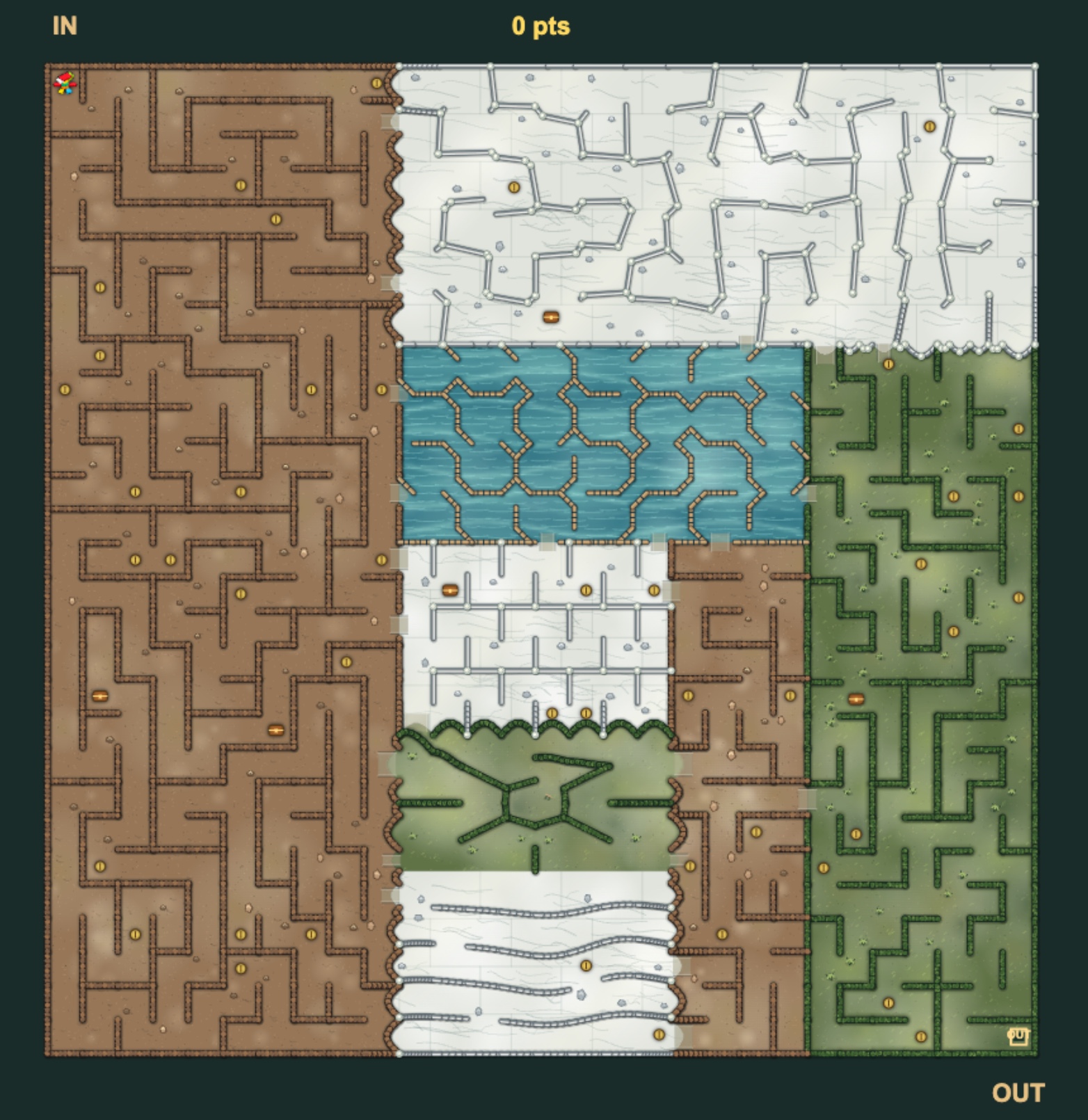
Fit together multiple kinds of designs and handle the corner cases: This needed a bit of iteration to get right.
-
Tuning and user experience + adaptation to different screen sizes (I think it's still pretty small on a phone) needed work. It seems to follow built-in design guidance - but I felt there was potential for simplification. That said, I think the touch screen control that came out after iterating was pretty good.
-
Once in a while I saw a regression (keyboard controls) that needed fixing.
Re-tooling locally #
I wanted to see if I could do a similar thing with project-sandbox. There, I could then also inspect the code - and have the option of running this fully locally. The key missing piece was to have an image that has the ability to do headless browser testing - which I've now added. An agent one-shotted a slightly simpler example, which (after some test refinement) can be tested entirely inside the container: a snake game example.
One observation I got from this is that the first shot at tests sometimes isn't comprehensive and doesn't cover a lot of corner cases - so spending a few loops on improving test coverage and having it play the game as a test was needed to fix this. I suspect lazy test cases also explain the regressions I saw earlier.
Learnings #
-
There is a step from "looks good" to "is fun/practical to use", and going that step just with AI / without human feedback is expensive - and not always successful. Models initially produce things that look nice but have a preference for small fonts, lots of text and extras that need to be prompted / edited away. Including "minimalistic" in the prompts really helps!
-
I added a test-review loop to my sequence of prompts before code review. Having the model review its own tests once more improves coverage - and reading that diff is a lower-effort way to understand the generated tests.
In conclusion, this was a fun exercise - though I think not quite at the level of sophistication and token spend as Simon Willison's experiment here. I agree with his sentiment that HTML / JS for games works well. I suspect this is because it matches how models are trained: there are many examples of such games (mazes, snake) in the training data, and test-driven reinforcement learning rewards exactly this kind of loop. They can incrementally add features to a self-contained codebase, and then ground / test by observing the actual visual they have created - which means it's possible to chain very long sequences of tasks with few regressions. On the flip-side, they have also learned to cut corners with tests.